
DocxIntel home
DocxIntel, a product of BizfyLabs
by
BizfyLabs
  • Product

    Platform

    • WorkspaceOverview, My Work, Inbox, documents and departments
    • CreateAI drafts and controlled templates
    • Workflows & approvalsReviews, approvals and automations with real state
    • SignaturesPrepare, send and track every signature
    • AgentA context-aware copilot that does the work
    • ControlReports, audit logs, integrations and admin

    Intelligence

    • AskQuestions answered with cited evidence
    • AnalyseFindings with severity, evidence and next action
    • IdentifyFields and entities with source and confidence
    • ClassifyDocument type, confidence and routing
    • CompareChanges, deviations and policy impact
    See every feature, bucket by bucket →Private AI engine →
  • Private AI
  • Deployment
  • Accuracy
  • Solutions

    By department

    • BDA / SalesRequirement → proposal → approval → signature
    • HRCandidate → evaluation → offer → onboarding
    • LegalContract → deviations → review → monitor
    • FinanceInvoice → match → exception → approval
    • ProcurementVendor → verify → contract → approval
    • ComplianceIngest → policy check → exception → audit
    • OperationsSOP → analyse → change → publish

    By industry

    • Banking & Financial ServicesKYC packs, statements, trade finance
    • InsuranceClaims, policies and underwriting
    • Government & Public SectorRecords, permits and correspondence
    • HealthcarePatient records, referrals, lab reports
    • Legal & ComplianceContracts, filings and case files
    • Energy & UtilitiesField documents, contracts, reports
    Department workspaces →All industries →
Talk to Enterprise
Home
DocxIntel

Menu

    • Platform — every feature
    • Workspace
    • Create
    • Workflows & approvals
    • Signatures
    • Agent
    • Control
    • Ask
    • Analyse
    • Identify
    • Classify
    • Compare
    • Department workspaces
    • All industries
    • Banking & Financial Services
    • Insurance
    • Government & Public Sector
    • Healthcare
    • Legal & Compliance
    • Energy & Utilities
    • Private AI engine
    • Deployment models
    • Reference architectures
    • Sizing & throughput
    • What's in the box
    • Security posture
    • Accuracy benchmark
    • Proof of Value
    • Compare
    • About
    • FAQ
    • Contact Us
Intelligence

Understand every document — with evidence, not guesses.

Ask, Analyse, Identify, Classify and Compare. Every result shows its source, its confidence and the next human action, and every result can start a workflow. Intelligence is the understanding layer of the DocxIntel workspace, and it runs inside your infrastructure.

  • Source and evidence on every result
  • Confidence you can set thresholds on
  • Connected to workflows
  • Arabic and English
Talk to enterprise
See the whole platform
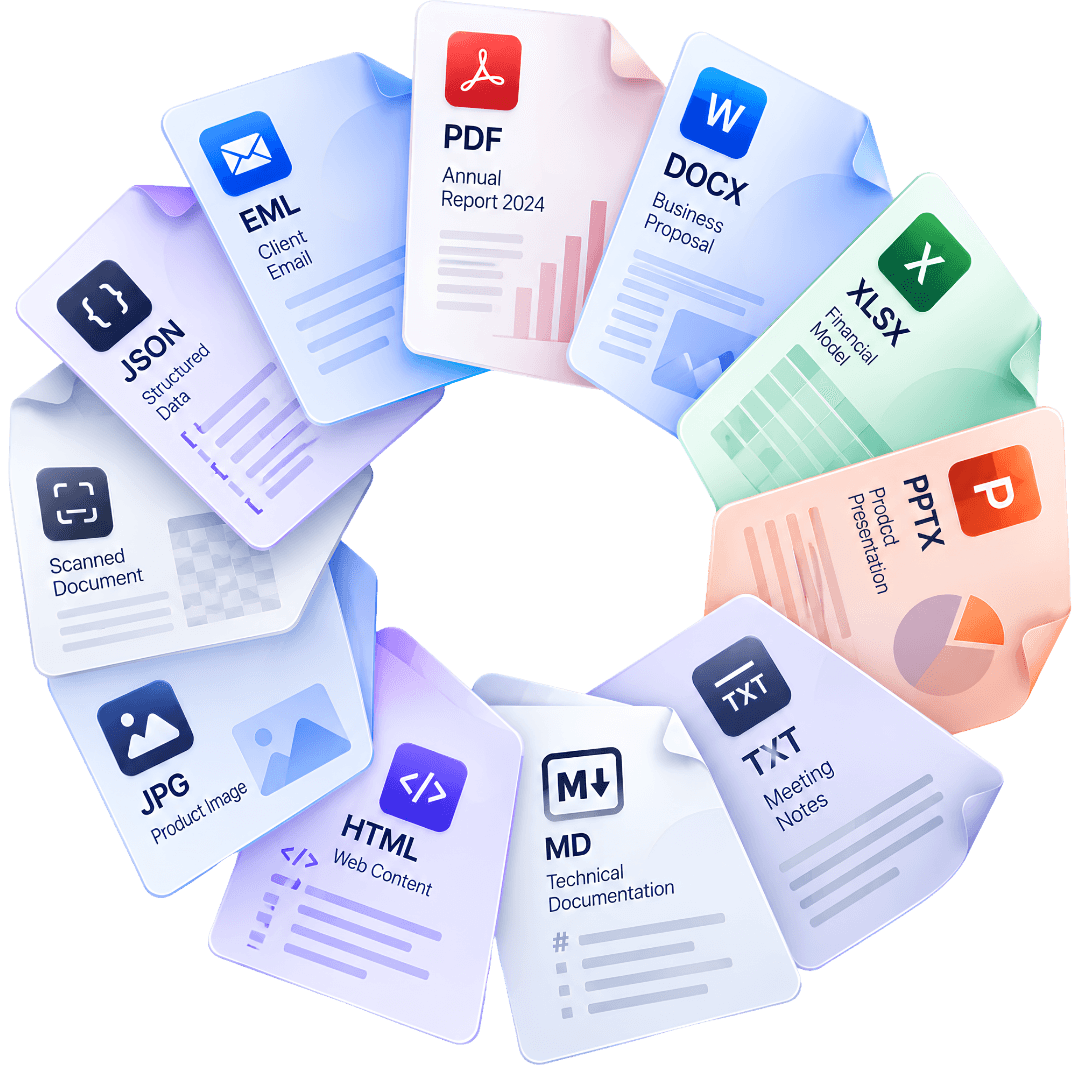
Documents of many types flowing into the DocxIntel Intelligence layer
5
Intelligence capabilities
one engine, one licence
99.0%
Field-level accuracy
published benchmark methodology
100%
Results with a source
or an explicit "not supported"
$0
Per-page charge
fixed annual licence

Accuracy is measured field-by-field against human-adjudicated ground truth; the document mix and methodology are published on the accuracy page.

The capabilities

Five ways to understand a document

Ask

Questions, answered with evidence

Ask across the documents you are permitted to see. Every substantive answer exposes its source documents and evidence; if the answer cannot be supported, the result says so.

  • Cited to document, page and passage
  • Permission-aware retrieval
  • Explicit "not supported"
Explore Ask →
Analyse

Findings, not summaries

Structured analysis jobs return findings grouped with evidence, severity, confidence, affected section or page, recommended action and workflow action.

  • Severity and confidence
  • Affected page and section
  • Finding → review in one click
Explore Analyse →
Identify / Extract

Fields with their source

Extracted fields and entities in a structured table with source location, confidence and editable values. Corrections are stored as feedback and audit events.

  • Source location on every value
  • Editable, with corrections audited
  • Schemas you define
Explore Identify →
Classify

Type, confidence and routing

Classification returns the document type and category with confidence, evidence and recommended routing. Bulk classification assigns work to department queues.

  • Your own taxonomy
  • Recommended route
  • Bulk queue assignment
Explore Classify →
Compare

Differences and their impact

Additions, removals, changed values, numerical changes, clause deviations and policy impact — side by side with evidence and a one-click review workflow.

  • Versions, documents or your standard
  • Policy impact per deviation
  • One-click review
Explore Compare →
Monitor

Dates that become work

Renewal, expiry, probation and obligation dates found in documents become monitored work items, with owners alerted before anything is missed.

  • Renewals and expiries
  • Obligations and probation
  • Alerts to the owner
See monitoring →
Connected to the work

Every result has a next step

  1. 1
    Understand

    A result with its evidence

    A finding, a field, a classification or a difference — each with source, confidence and status.

  2. 2
    Decide

    The next human action

    Confirm a field, review a finding, accept a route — the item lands in the right person’s My Work.

  3. 3
    Work

    A workflow when it matters

    One click turns a deviation or a risk into a review, an approval or an exception case.

  4. 4
    Record

    An audit trail always

    The result, the decision and who made it are recorded — for people and for the Agent.

Why it is different

Intelligence versus an AI chat over files

Intelligence versus an AI chat over files
CriterionAI chat over filesDocxIntel Intelligence
What you getA paragraph of textFindings, fields, classes and differences
EvidenceSometimes a linkSource, page and region on every result
When unsureA confident guess"Not supported", or routed for review
What happens nextCopy and pasteA workflow, an approval or a work item
AuditChat historyEvery result and decision in the audit log
Where it runsA provider’s cloudInside your infrastructure

What you get

AI chat over files
A paragraph of text
DocxIntel Intelligence
Findings, fields, classes and differences

Evidence

AI chat over files
Sometimes a link
DocxIntel Intelligence
Source, page and region on every result

When unsure

AI chat over files
A confident guess
DocxIntel Intelligence
"Not supported", or routed for review

What happens next

AI chat over files
Copy and paste
DocxIntel Intelligence
A workflow, an approval or a work item

Audit

AI chat over files
Chat history
DocxIntel Intelligence
Every result and decision in the audit log

Where it runs

AI chat over files
A provider’s cloud
DocxIntel Intelligence
Inside your infrastructure

Questions about Intelligence

Straight answers, no sales deck. If the answer you need is missing, ask us directly.

Each Intelligence capability returns a structured result tied to a document-work object — a finding, a field, a classification, a difference — with its evidence, its confidence and the human action that comes next. Results feed workflows, approvals and the audit log; they are not answers that stop at the chat window.

It says so. Ask returns "not supported by the documents" rather than a guess; extracted fields below your confidence threshold are routed for review with the source region highlighted; findings carry a confidence and severity so reviewers can prioritise.

Corrections to extracted values are stored as user feedback and written to the audit log. Tuning for your document types happens inside your environment and stays there — nothing is used to train models for anyone else.

Yes. Arabic and English — including mixed pages, handwriting, stamps and Arabic-Indic numerals — are handled in the engine that every capability shares, so Ask, Analyse, Identify, Classify and Compare all work on the same documents.

No. Every licence includes all of Intelligence together with the workspace, workflows, approvals, signatures, the Agent and the controls. There is no per-capability SKU and no per-page charge.

Keep reading

Platform→Every feature, bucket by bucket — workspace, create, work, agent and control.Accuracy benchmark→The methodology and per-category numbers behind the 99% claim.Departments→How each department uses Intelligence in its own workflows.Private AI engine→The proprietary models behind every capability, on your servers.

Run Intelligence on your own documents.

A fixed-fee Proof of Value deploys DocxIntel in your environment and measures it on your document set — with the accuracy threshold agreed in writing first.

Start a Proof of Value
Talk to enterprise
  • No per-page metering
  • Runs in your environment
  • Written accuracy threshold
DocxIntel Logo

A product of BizfyLabs

Private AI for document-driven work. The complete DocxIntel engine runs inside your own infrastructure — your documents never go to an external AI provider.

BizfyLabs on LinkedInDocxIntel documentationBizfyLabs

Product

  • Platform
  • Private AI engine
  • Intelligence
    • Ask
    • Analyse
    • Identify
    • Classify
    • Compare
  • Accuracy benchmark
  • Pricing
  • Proof of Value

Technical

  • Deployment models
  • Reference architectures
  • Sizing & throughput
  • What's in the box
  • Security posture
  • Model licensing
  • Documentation
  • API reference

Solutions

  • Department workspaces
  • All industries
  • Insurance & TPAs
  • Healthcare
  • Banking & finance
  • Government
  • Legal
  • Energy & logistics

Compare

  • Compare approaches
  • On-premise document AI

Company

  • About DocxIntel
  • FAQ
  • Partners
  • BizfyLabs
  • Careers
  • Contact

© 2026 BizfyLabs FZC LLC. All rights reserved.

DocxIntel™ is a product of BizfyLabs FZC LLC.

  • Privacy Policy·
  • Terms of Service·
  • Data Processing Addendum·
  • Acceptable Use·
  • Model Licensing·
  • Security·
  • Cookies

Registered in the United Arab Emirates. Delivery partner: Bizfy Solutions LLP, Indore, India.

DocxIntel