
DocxIntel home
DocxIntel, a product of BizfyLabs
by
BizfyLabs
  • Product

    Platform

    • WorkspaceOverview, My Work, Inbox, documents and departments
    • CreateAI drafts and controlled templates
    • Workflows & approvalsReviews, approvals and automations with real state
    • SignaturesPrepare, send and track every signature
    • AgentA context-aware copilot that does the work
    • ControlReports, audit logs, integrations and admin

    Intelligence

    • AskQuestions answered with cited evidence
    • AnalyseFindings with severity, evidence and next action
    • IdentifyFields and entities with source and confidence
    • ClassifyDocument type, confidence and routing
    • CompareChanges, deviations and policy impact
    See every feature, bucket by bucket →Private AI engine →
  • Private AI
  • Deployment
  • Accuracy
  • Solutions

    By department

    • BDA / SalesRequirement → proposal → approval → signature
    • HRCandidate → evaluation → offer → onboarding
    • LegalContract → deviations → review → monitor
    • FinanceInvoice → match → exception → approval
    • ProcurementVendor → verify → contract → approval
    • ComplianceIngest → policy check → exception → audit
    • OperationsSOP → analyse → change → publish

    By industry

    • Banking & Financial ServicesKYC packs, statements, trade finance
    • InsuranceClaims, policies and underwriting
    • Government & Public SectorRecords, permits and correspondence
    • HealthcarePatient records, referrals, lab reports
    • Legal & ComplianceContracts, filings and case files
    • Energy & UtilitiesField documents, contracts, reports
    Department workspaces →All industries →
Talk to Enterprise
Home
DocxIntel

Menu

    • Platform — every feature
    • Workspace
    • Create
    • Workflows & approvals
    • Signatures
    • Agent
    • Control
    • Ask
    • Analyse
    • Identify
    • Classify
    • Compare
    • Department workspaces
    • All industries
    • Banking & Financial Services
    • Insurance
    • Government & Public Sector
    • Healthcare
    • Legal & Compliance
    • Energy & Utilities
    • Private AI engine
    • Deployment models
    • Reference architectures
    • Sizing & throughput
    • What's in the box
    • Security posture
    • Accuracy benchmark
    • Proof of Value
    • Compare
    • About
    • FAQ
    • Contact Us
Intelligence — Compare

Don’t search for the difference. See it, with evidence.

Compare two documents, two versions, or a document against your approved standard. DocxIntel identifies additions, removals, changed values, numerical changes, clause deviations and their policy impact — side by side, with the evidence on both pages and one click to start a review.
  • Clause-level, not character-level
  • Policy impact on every deviation
  • Evidence on both pages
  • One-click review workflow
Talk to enterprise
See all Intelligence features
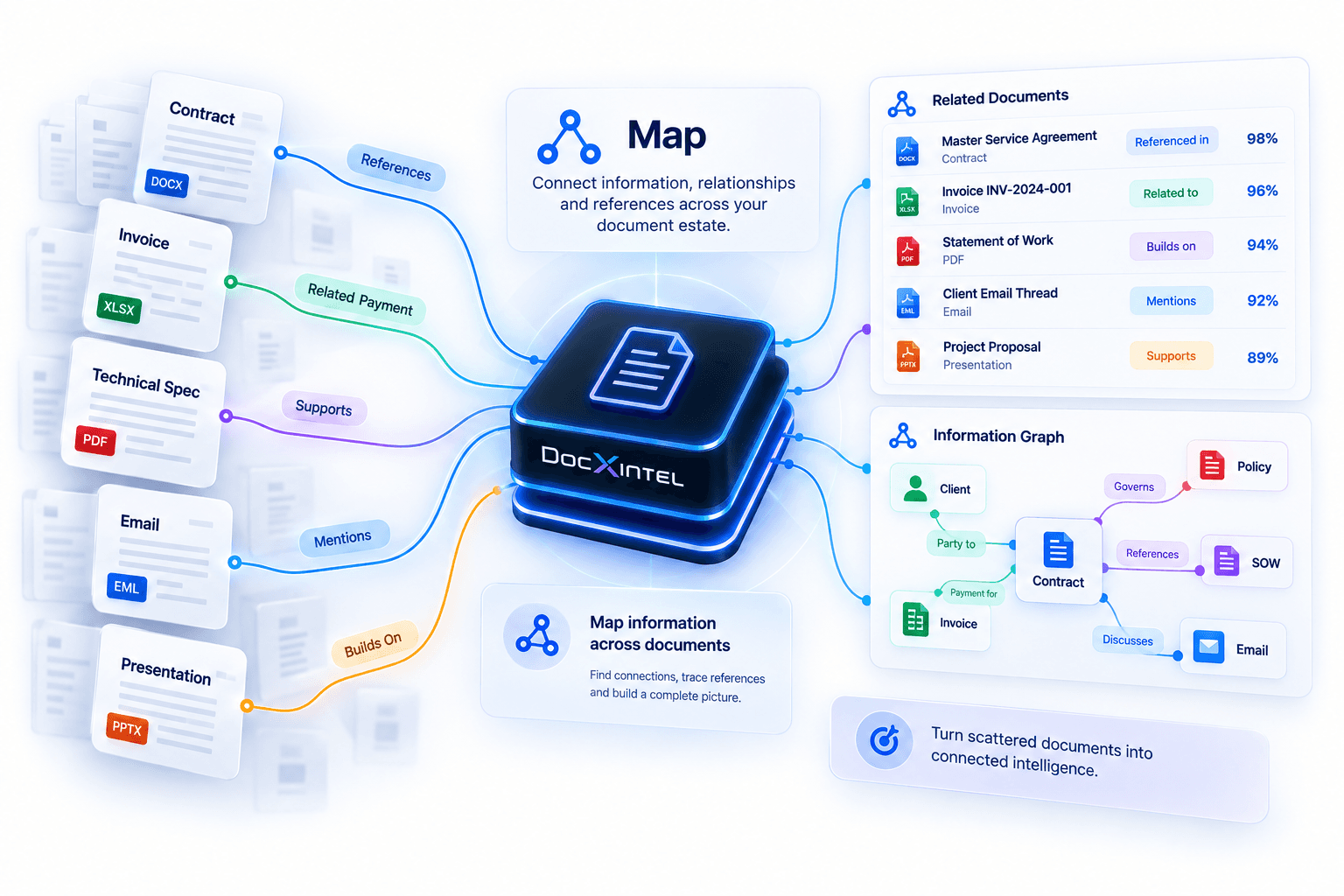
Two related documents connected, representing side-by-side comparison of versions and clauses
6
Kinds of difference
addition, removal, change, number, deviation, policy
3
Ways to compare
versions, documents, against your standard
2
Pages of evidence
every difference shown on both sides
1
Click to review
findings travel with the work item
What it finds

Every difference that matters to a decision

Additions

New text and new obligations

Clauses, conditions and obligations that appear in one version and not the other.

Removals

What quietly disappeared

Removed protections — a liability cap, an audit right, a termination right — flagged, not buried.

Changes

Reworded commitments

Clauses whose meaning changed, shown side by side with the exact wording on each page.

Numerical changes

Prices, dates and periods

Fees, totals, notice periods, renewal dates and quantities compared as values, not text.

Clause deviations

Against your standard

Where an incoming document departs from your approved template, MSA or playbook.

Policy impact

Why it matters

Each deviation assessed against policy, with severity and the recommended action.

How it works

From two documents to a reviewed decision

  1. 1
    Select

    Choose what to compare

    Two versions, two documents, or a document and your approved standard — from the document detail screen or by asking the Agent.

  2. 2
    Align

    Structure is aligned

    Clauses, fields and tables are matched across both documents, including scanned and bilingual pages.

  3. 3
    Classify

    Differences are classified

    Each one labelled as an addition, removal, change, numerical change or deviation, and assessed against policy.

  4. 4
    Review

    Findings with evidence

    Side-by-side evidence, severity and a recommended action for every material difference.

  5. 5
    Act

    Start the review

    One click creates the review work item; the decision and its evidence are recorded in the audit log.

Why not a diff tool

Compare versus a text diff

Compare versus a text diff
CriterionText diffDocxIntel Compare
Unit of comparisonCharacters and linesClauses, fields, tables and values
Numbers and datesChanged textOld and new value, as values
Against your standardNot supportedTemplate, MSA or playbook
Policy impactNoneSeverity and recommended action
Scanned or Arabic documentsNot supportedSupported
What happens nextCopy into an emailOne-click review workflow, audited

Unit of comparison

Text diff
Characters and lines
DocxIntel Compare
Clauses, fields, tables and values

Numbers and dates

Text diff
Changed text
DocxIntel Compare
Old and new value, as values

Against your standard

Text diff
Not supported
DocxIntel Compare
Template, MSA or playbook

Policy impact

Text diff
None
DocxIntel Compare
Severity and recommended action

Scanned or Arabic documents

Text diff
Not supported
DocxIntel Compare
Supported

What happens next

Text diff
Copy into an email
DocxIntel Compare
One-click review workflow, audited

Questions about Compare

Straight answers, no sales deck. If the answer you need is missing, ask us directly.

No. A text diff tells you characters changed. Compare works on the document model — clauses, fields, tables and values — so it reports that the notice period moved from 60 to 90 days, that the liability cap was removed, or that a payment term now differs from your standard, rather than highlighting a shifted paragraph.

Two versions of the same document, two different documents, or a document against your approved standard — for example an incoming MSA against your company MSA or playbook. Version comparison is available wherever DocxIntel stores more than one version of a document.

Each difference is classified — addition, removal, change, numerical change or clause deviation — and assessed against your policy. Deviations that cross a policy line become findings with a severity, evidence on both pages and a recommended action; minor wording changes do not.

From the comparison view you can start a review workflow in one click: the findings, both versions and the evidence travel with the work item to the right reviewer, and the decision is recorded in the audit log.

Yes. Comparison runs on the structured document model produced by the same engine that reads scans, photographs, stamps and handwriting in Arabic and English, so a scanned old contract can be compared with a digital new one.

Keep reading

Analyse→Findings with severity, evidence and recommended action.Identify→Fields and entities with source location and confidence.Workflows and approvals→Route comparison findings to the right reviewer.Legal department→Contract → deviation analysis → legal review → signature.

Compare your own contract against your standard.

In a Proof of Value we load your approved MSA or playbook and run Compare on your real incoming contracts — inside your environment.

Start a Proof of Value
Talk to enterprise
  • No per-page metering
  • Runs in your environment
  • Written accuracy threshold
DocxIntel Logo

A product of BizfyLabs

Private AI for document-driven work. The complete DocxIntel engine runs inside your own infrastructure — your documents never go to an external AI provider.

BizfyLabs on LinkedInDocxIntel documentationBizfyLabs

Product

  • Platform
  • Private AI engine
  • Intelligence
    • Ask
    • Analyse
    • Identify
    • Classify
    • Compare
  • Accuracy benchmark
  • Pricing
  • Proof of Value

Technical

  • Deployment models
  • Reference architectures
  • Sizing & throughput
  • What's in the box
  • Security posture
  • Model licensing
  • Documentation
  • API reference

Solutions

  • Department workspaces
  • All industries
  • Insurance & TPAs
  • Healthcare
  • Banking & finance
  • Government
  • Legal
  • Energy & logistics

Compare

  • Compare approaches
  • On-premise document AI

Company

  • About DocxIntel
  • FAQ
  • Partners
  • BizfyLabs
  • Careers
  • Contact

© 2026 BizfyLabs FZC LLC. All rights reserved.

DocxIntel™ is a product of BizfyLabs FZC LLC.

  • Privacy Policy·
  • Terms of Service·
  • Data Processing Addendum·
  • Acceptable Use·
  • Model Licensing·
  • Security·
  • Cookies

Registered in the United Arab Emirates. Delivery partner: Bizfy Solutions LLP, Indore, India.

DocxIntel